
Authenticate with a Conductor API token
Connections to Conductor’s API can be authenticated using a Bearer token.Generate your Conductor API token
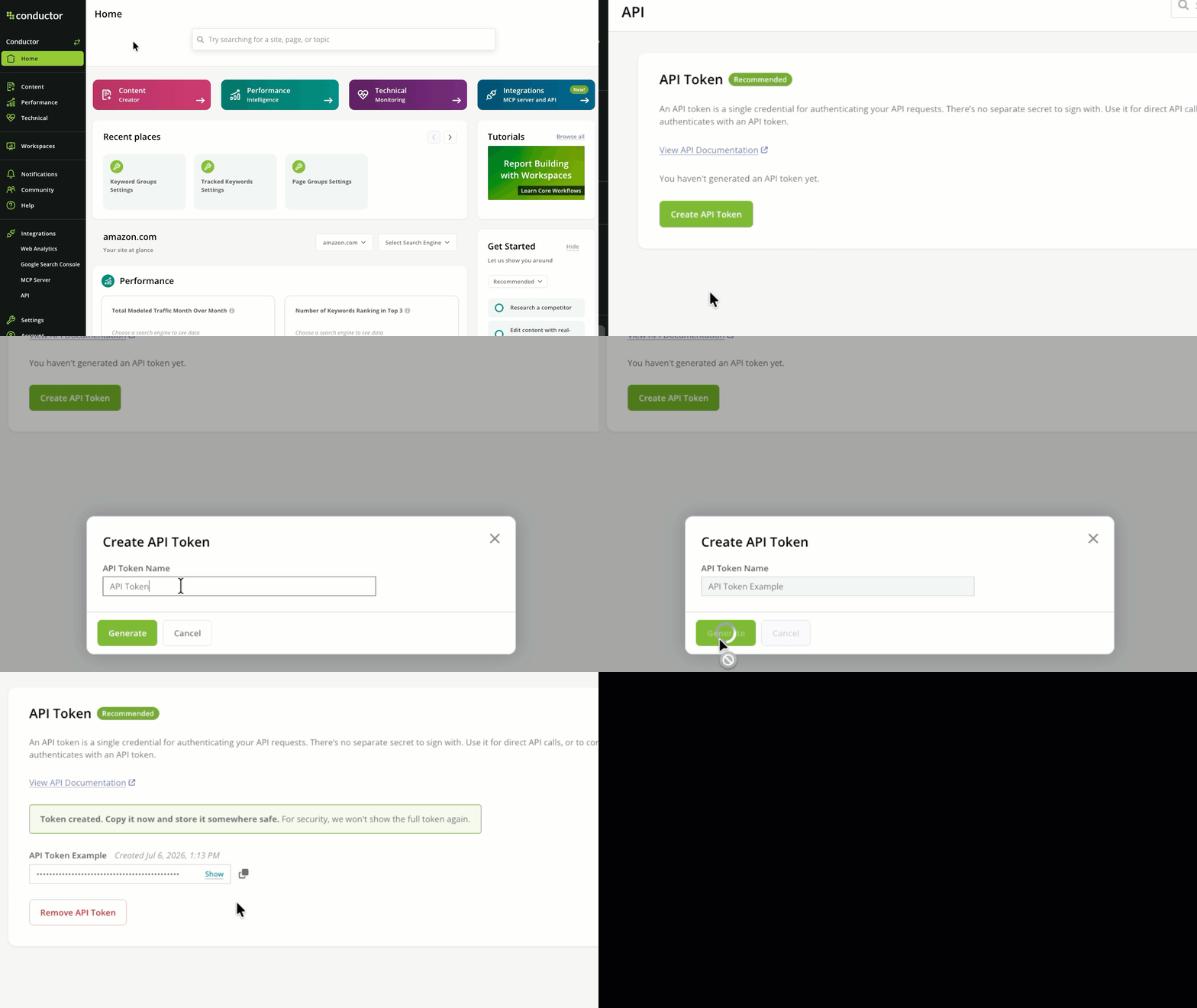
To generate or copy your Conductor API token:- In Conductor, follow the path Integrations > API.
- In the API Token section, click Create API Token.
- In the form that appears, give your token a name and click Generate.
- Copy the generated token. Its full string won’t be shown again.
Not a Conductor user yourself? Have a Conductor admin user add you to the platform to generate a token for yourself.
Sending your request
When configuring your requests, pass the API token you generated above. Review some common examples across different languages you might use.Examples
cURL
Support for legacy connections
Conductor still supports existing connections to Conductor’s API using this legacy method. However, we recommend new connections use the API token method described above: it’s simpler—one credential, no separate secret, and no signature to compute or keep in sync with a clock.
Required credentials
Each endpoint requires that you pass both of the following elements together:- API Key (Query Parameter):
apiKey=<your-api-key> - Request Signature (Query Parameter):
sig=<computed-signature>
Computing the signature
The signature is an MD5 hash computed using your API key, your secret, and a Unix timestamp.Code Examples
Change Log
- 2026-07-14 · Added — Bearer token authentication for all Conductor APIs. Send
Authorization: Bearer <token>. ExistingapiKeyandsigquery-parameter authentication continues to work; no sunset date is announced.